Photo to Cartoon GeneratorCartoon
You, redrawn
You, redrawn — Ghibli, Pixar, LEGO, clay or 1930s ink.
How the photo to cartoon generator works
Upload one photo, pick a style — Ghibli, Pixar 3D, LEGO, Claymation or 1930s Rubber Hose — and get yourself redrawn as a cartoon in a new pose and scene.
The styles
Cartoon styles
Every style is hand-tuned to look like a real result — tap one and it's set up for you.
How it works
How to turn a photo into a cartoon
- 1
Add your photo
Drop in a selfie or any photo — the only thing we need from you.
- 2
Create your photo
Tap once. Everything's set up — nothing to write, nothing to tweak.
- 3
Share it
Your result is ready in about a minute, sized right for every feed.
Add your photo


Why reRAW AI
A cartoon that still looks like you
Each style's real grammar
Flat cel colour for Ghibli, three-point light for Pixar, a printed face for LEGO, thumbprints for clay — each built from what defines it, not a filter.
Still recognisably you
Your hair, parting and face shape carry into the drawing.
One photo is enough
No prompts, nothing to configure — upload and pick a style.
Plenty of styles on the shelf
Ghibli, Pixar 3D, LEGO, Claymation, Watercolor, Oil Painting, Pixel Art and more, with new ones joining over time.
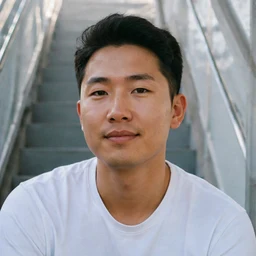
“There's a piano grinning at me and honestly it fits. It's completely, absurdly me.”
Good to know
Photo to cartoon questions
Everything people ask before their first try.
What is a photo to cartoon generator?
Can I turn a photo into a cartoon for free?
What photos work best for photo to cartoon?
Will the cartoon actually look like me?
Can I choose the pose or the scene?
What exactly do I get?
Which style should I pick?
Who can see the photo I turn into a cartoon?
What is reRAW AI?
More to try
Keep the fun going.


Start free
Up to 30 images, free.
All-in-one AI creative studio, from trending effects to pro workflows.