AI Street Style Photo GeneratorStreet Style
Caught mid-stride, effortlessly cool
Caught mid-stride on a real street — the fit, the attitude, the screenshot.
How the AI street style generator works
Upload one photo, pick a street, and get a street style shot of you caught mid-stride in daylight — real pavement, available light, no studio.
The styles
Street style looks
Every style is hand-tuned to look like a real result — tap one and it's set up for you.
How it works
How to make an AI street style photo
- 1
Add your photo
Drop in a selfie or any photo — the only thing we need from you.
- 2
Create your photo
Tap once. Everything's set up — nothing to write, nothing to tweak.
- 3
Share it
Your result is ready in about a minute, sized right for every feed.
Add your photo


Why reRAW AI
A street style shot that still looks like you
Daylight, no flash
Real pavement, available light and the shutter falling mid-step, grain left in.
Your face, kept
Your face and hair come through as shot; the outfit, pose and street are styled around you.
A minute or two
No show ticket, no photographer at the kerb — it's on your phone in a minute or two.
Five streets, or let Auto choose
Overcast avenues, a bodega corner at dusk, a mid-stride full-length, a runway piece on an ordinary block, skatepark concrete — or let Auto choose.
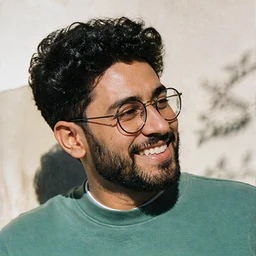
“People asked who shot it. Nobody did.”
Good to know
AI street style questions
Everything people ask before their first try.
What is an AI street style photo generator?
Is this AI street style generator free to use?
Will it keep my face and what I'm wearing?
Does an AI street style photo look like a studio shoot?
What's the difference between Auto and picking a street myself?
What photos work best, full-length or waist-up?
What do I get at the end?
Who sees the photo I upload for a street style shot?
What is reRAW AI?
More to try
Keep the fun going.


Start free
Up to 30 images, free.
All-in-one AI creative studio, from trending effects to pro workflows.